
Faster WordPress Sites, Better Rankings.
Professional WordPress speed optimization for business owners who are tired of a slow WordPress site. I find what is holding your pages back, fix caching, images, scripts and the database, and tune Core Web Vitals so visitors stay longer and Google sees a site worth ranking.
- Design stays exactly the same
- Full backup before any change
- Plain-English report included

WordPress speed optimization, done properly and safely.
Speed Audit
A clear look at what slows your site down, from heavy plugins and oversized images to render-blocking scripts and slow server responses, with every issue ranked by impact.
Caching Setup
Page, browser and object caching configured to match your hosting, so repeat visitors and new ones get pages served quickly without breaking forms, carts or logins.
Image Optimization
Images resized, compressed and converted to modern formats like WebP, with lazy loading in the right places so pages feel quick without losing visual quality.
Elementor Cleanup
Elementor speed improvements that remove unused widgets, extra fonts, bloated CSS and nested containers, keeping the look you love while trimming the weight behind it.
Database Cleanup
Old revisions, spam comments, expired transients and leftover plugin tables cleared out, and key tables optimized so the admin and front end respond faster.
Core Web Vitals Fixes
Targeted Core Web Vitals fix work on loading, interactivity and layout shift, so your pages meet what Google measures and feel steady and responsive on mobile.

A slow site costs you real customers.
People decide in moments whether to stay on a page. When a slow WordPress site keeps them waiting, they tap back and choose a competitor. Speed also shapes how Google judges your pages through Core Web Vitals. WordPress speed optimization is not about chasing a perfect score in a testing tool. It is about making the pages your customers actually use load quickly, respond the moment they tap, and stay steady while they read, so more visits turn into calls, sales and enquiries.
- Lower bounce on mobile visitors
- Better signals for Google rankings
- Smoother checkout and contact forms
- A site that feels premium to use

Careful fixes, nothing broken.
Every project starts with a full backup and, where possible, a staging copy, so your live site is never at risk. I measure before I touch anything, then make changes one layer at a time: hosting and caching, images, scripts and styles, Elementor output and the database. After each step I test pages, forms and checkout. You get a plain-English report showing what changed, why it helped, and what to watch for as your site grows in the future.
- Backup and staging before changes
- Before and after measurements
- Forms, carts and logins tested
- Clear notes you can keep
A clear process, zero surprises.
Measure
I test your key pages on mobile and desktop, review your hosting, theme and plugins, and record a clear baseline before changing anything.
Back up
A full backup of files and database is taken, and a staging copy is set up when your host allows it, so work stays safe.
Optimize
Caching, images, scripts, fonts, Elementor output and the database are tuned layer by layer, testing the site after every meaningful change.
Verify
I re-test the same pages, check Core Web Vitals, and confirm forms, menus, carts and logins all work exactly as they did before.
Report
You receive a plain-English summary of what was fixed, what improved, and simple habits that keep your WordPress site fast over time.
Modern tools, proven results.
I use battle-tested, actively maintained tools so your project stays fast, secure and easy to update.
Simple, transparent packages.
Every project gets a fixed written quote after a short discovery call. You own the source code and get post-launch support.
Speed Check
- Speed audit of key pages
- Plugin and theme review
- Prioritized list of fixes
- Plain-English findings report
Full Optimization
- Everything in Speed Check
- Caching and CDN setup
- Image optimization and lazy loading
- Database cleanup
- Core Web Vitals fixes
Elementor Deep Tune
- Everything in Full Optimization
- Elementor cleanup and asset trimming
- Unused CSS and script removal
- Font and icon loading fixes
- Follow-up check after launch
See it live.
See how fast, clean builds feel in practice. These live demo sites show the kind of lean WordPress and Elementor setup I aim for on every speed project.

Luxe Aura
A gold-on-black salon website with an online booking form, 3D-tilt service cards and a smooth reviews slider.
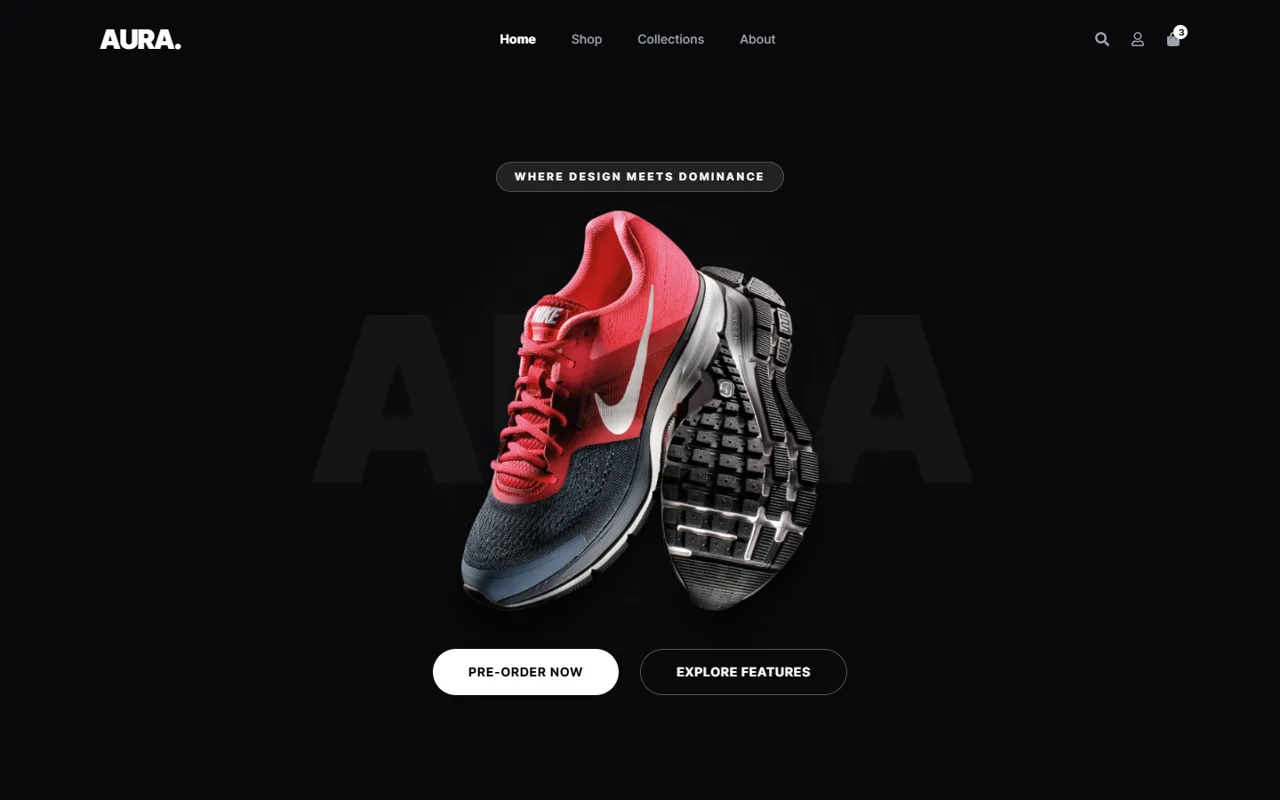
Aura Store
A bold lifestyle store with a full demo shop flow: product gallery, side cart, cart and checkout.

Chronos
A minimal watch brand with a complete demo store, glassmorphism and parallax typography.
Questions, answered.
Everything you need to know before we start. Can’t find your answer? Send me a message.
How fast can my WordPress site get?
It depends on your hosting, theme, plugins and how much content each page carries. A site on good hosting with a lean setup can feel very quick, while a heavy page builder on cheap shared hosting has a lower ceiling. I do not promise a fixed score or load time. Instead, WordPress speed optimization focuses on clear, measurable improvement on the pages that matter, and I tell you honestly if hosting is the main limit.
Will a faster site improve my Google ranking?
Speed is one of many ranking signals, and Google uses Core Web Vitals as part of its page experience assessment. A faster site will not outrank better content on its own, but it removes a real disadvantage and keeps visitors on your pages longer. Those better engagement signals, plus pages Google can crawl easily, usually support your SEO efforts. Speed works best alongside helpful content and solid technical SEO.
Do you need my hosting login?
Usually yes, or at least access to your hosting control panel. Many important fixes happen at the server level, such as enabling server caching, updating PHP, turning on compression or creating a staging copy. I also need a WordPress administrator account. You can create separate access just for me and remove it once the work is finished, so your main passwords stay private and secure.
Will my design change?
No. The goal is to keep your site looking exactly the same while it loads faster. I work behind the scenes on caching, image files, code delivery and the database. If a change ever affects how something looks, I catch it during testing and adjust it before it reaches your live site. Where a design choice is very heavy, such as a large background video, I explain the trade-off and let you decide.
How long does WordPress speed optimization take?
It depends on the size of your site, the number of plugins and how much of the work involves Elementor or WooCommerce. A small brochure site is usually quicker than a large store with many products and custom features. After the initial audit I give you a clear timeline for your specific WordPress speed optimization project, and I keep you updated as each stage of the work is completed.
Why is my WordPress site so slow?
The most common causes are slow or overloaded hosting, too many plugins, large uncompressed images, no proper caching, and page builders loading scripts and styles on every page. A bloated database and outdated PHP can also add delay. Often it is a combination of small issues adding up. A speed audit pinpoints which ones affect your site the most, so the fixes go where they make the biggest difference.
Is your site holding you back? Let’s make it fast.
Tell me about your project and get a free consultation, timeline and fixed quote within 24 hours.
- hello@nowdigiverse.com
- Remote · Worldwide clients
- Reply within 24 hours